

Guide · CCTV maintenance · 10 min read
CCTV maintenance and inspection: a practical guide
How to find image, recording and export problems before the footage is needed.
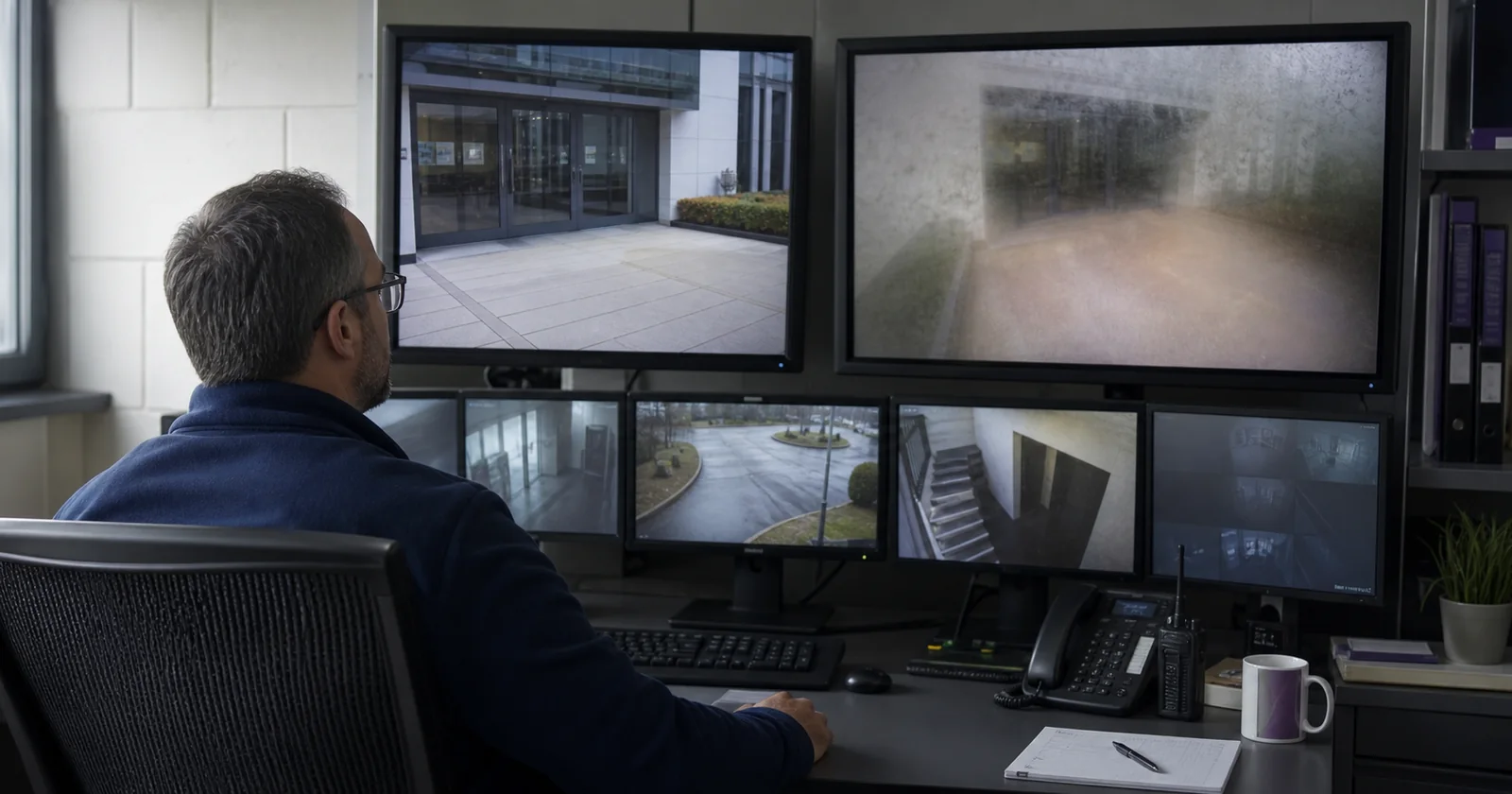
The worst time to discover a camera fault is when someone asks for the footage. The camera may have looked online. Its live tile may even have been green. But the lens was blurred after dark, the view had shifted, the recorder stopped keeping the promised history, or the exported clip carried the wrong time.
CCTV maintenance is the work of proving that usable video will exist when it is needed. For a commercial estate, CCTV or security-camera maintenance covers more than cleaning and servicing hardware. A dependable routine also tests the stream, the recorded archive, retention, timestamps, retrieval and the process used to fix faults.
This guide is written for commercial and public-space systems. It is not a substitute for the maintenance contract, manufacturer instructions, operational requirement, privacy process or law that applies to your site. It is a framework for joining those obligations into one working routine.
Editable Excel workbook
CCTV maintenance & inspection checklist
Forty-four checks, suggested starting cadences, result fields, action ownership and source notes. Adapt it to your estate.
A camera can be online and still not be working
A ping tells you that a network interface answered. Depending on the system, a VMS status can tell you much more: live and recording frame rates, storage pressure, server health or whether a camera stopped responding. Those are useful signals. They still do not, by themselves, prove that the recorded view will answer the operational question for which the camera was installed.
A reachable camera may still be looking through a dirty dome, and a sharp daytime picture can be washed out by infrared reflection at night. The recorder may be faithfully saving the wrong field of view. Its retention setting may say one thing while the available archive says another. An export button can work in the control room even though the resulting file fails on the ordinary machine used by an investigator.
That distinction is reflected in real operating procedures. Wollongong City Council, for example, asks staff to check that cameras are online and that vision is clear at the start of a shift, then log faults for action in its current CCTV procedure. Federation Council's procedure goes further during monthly checks: play recorded segments, check archive time, verify synchronisation, confirm every view is visible and make sure camera positions are correct.
Maintain the whole usable-video chain
It helps to think of readiness as a chain. A failure at any link can make a camera operationally impaired even when other parts remain healthy.
- Expected. The camera is inventoried, authorised, assigned to the right site and owner, and still has a documented purpose.
- Reachable. The camera, stream and relevant VMS or recorder components respond.
- Seeing. The view is current, clear, correctly aimed, sufficiently lit and unobstructed.
- Recording. The intended schedule is producing video without unexplained gaps.
- Retaining. The archive and available storage deliver the site's approved retention rule.
- Retrievable. An authorised operator can find, export and play a clip with the required time and metadata.
- Fit for purpose. The footage contains the detail the camera was installed to provide.
The final link is easy to neglect. The UK's Surveillance Camera Commissioner's buyer toolkit begins with an operational requirement: the area to cover, why it matters and the level of image detail required. Without that reference, “good image” is a matter of taste. With it, the inspection has a pass condition.
Use three maintenance loops
A useful maintenance programme separates checks by how they are best performed, then connects the results.
1. Signal loop
Continuous or frequent machine-observable checks: reachability, stream freshness, persistent image degradation, recording recency, gaps, storage, time and the monitoring system's own heartbeat.
2. Proof loop
Operator tests: representative playback, day and night performance, intended view, PTZ operation, achieved retention, export and the response to a test alert.
3. Site loop
Physical and governance work: lens and housing, mount and cable, lighting, power, signs, access, privacy, patch control, ongoing purpose and end-of-life planning.
The point of automating the signal loop is not to eliminate a site visit. It is to stop spending that visit discovering faults a machine could have surfaced earlier, and to help the technician arrive knowing which cameras need attention.
What camera-health software can reasonably automate
Monitoring coverage depends on the camera, VMS, connector and permissions. Treat every item below as “where supported,” and test it against your actual cameras. Never assume that an ONVIF label or a VMS integration exposes every signal.
| Check | What automation can contribute | What it does not prove |
|---|---|---|
| Inventory and connectivity | Detect missing devices, failed API calls, unreachable streams or unhealthy components. | That the lens, scene and recorded evidence are useful. |
| Stream freshness and freeze | Compare timestamps or sampled frames to find stale and persistently repeated images. | That a genuinely static scene is faulty without suitable validation. |
| Blur, obstruction, darkness and scene change | Measure persistent changes from a learned or accepted baseline and send an exception for review. | Why the image changed, whether an obstruction is intentional, or whether every scene is suitable for automatic detection. |
| Recording recency and continuity | Query an available recording index and flag late recordings or unexplained gaps. | That the content inside every recorded segment is usable, or that a direct stream has an archive at all. |
| Storage and retention | Show capacity, component warnings and actual archive boundaries where the source exposes them. | That configured retention equals achieved retention unless the archive itself is checked. |
| Clock and system health | Surface time drift, resource pressure, service health or native VMS alarms where integrations support them. | That every device shares the same authoritative time or that exported metadata is correct. |
| Workflow | Open a ticket or queue item, attach evidence, assign an owner and measure acknowledgement. | That somebody repaired the cause and independently verified the result. |
Modern tools can cover more than simple availability. AXIS Image Health Analytics, for example, can detect blocked, redirected, blurred and underexposed images on compatible cameras. Its documentation is also candid about limitations: low-detail scenes, sudden light changes, temporary objects and moving spider webs can complicate detection. The practical model is persistent screening plus informed human review, not automation that can be trusted blindly.
Likewise, Milestone XProtect's System Monitor can expose failed cameras, overloaded components and recording-server disk or memory pressure. Image-health monitoring complements those native signals; it should not pretend they do not exist.
What still needs an operator or technician
Look at recorded evidence, not only live tiles
Review recent playback from representative cameras and recorders. Include the lighting conditions that matter. If a scene must be useful day and night, a midday check is half a check. Test PTZ presets and home positions where relevant. Compare the current view with the operational requirement or an approved reference rather than relying on memory.
Inspect the physical path
Physical work belongs with authorised, competent people. Follow the site's work-at-height, electrical, traffic-control and isolation procedures. Do not open an energised enclosure, climb to a camera or interrupt live recording outside an approved maintenance window.
Check domes or front glass for dirt, salt, droplets, insects, webbing, scratches and internal condensation. Inspect housings, seals, sunshields, heaters, mounts, poles, conduit, cabling and connectors. Look for new vegetation, signs, stock, furniture or construction in the intended field of view. Review representative night footage for failed illumination, glare and infrared reflection.
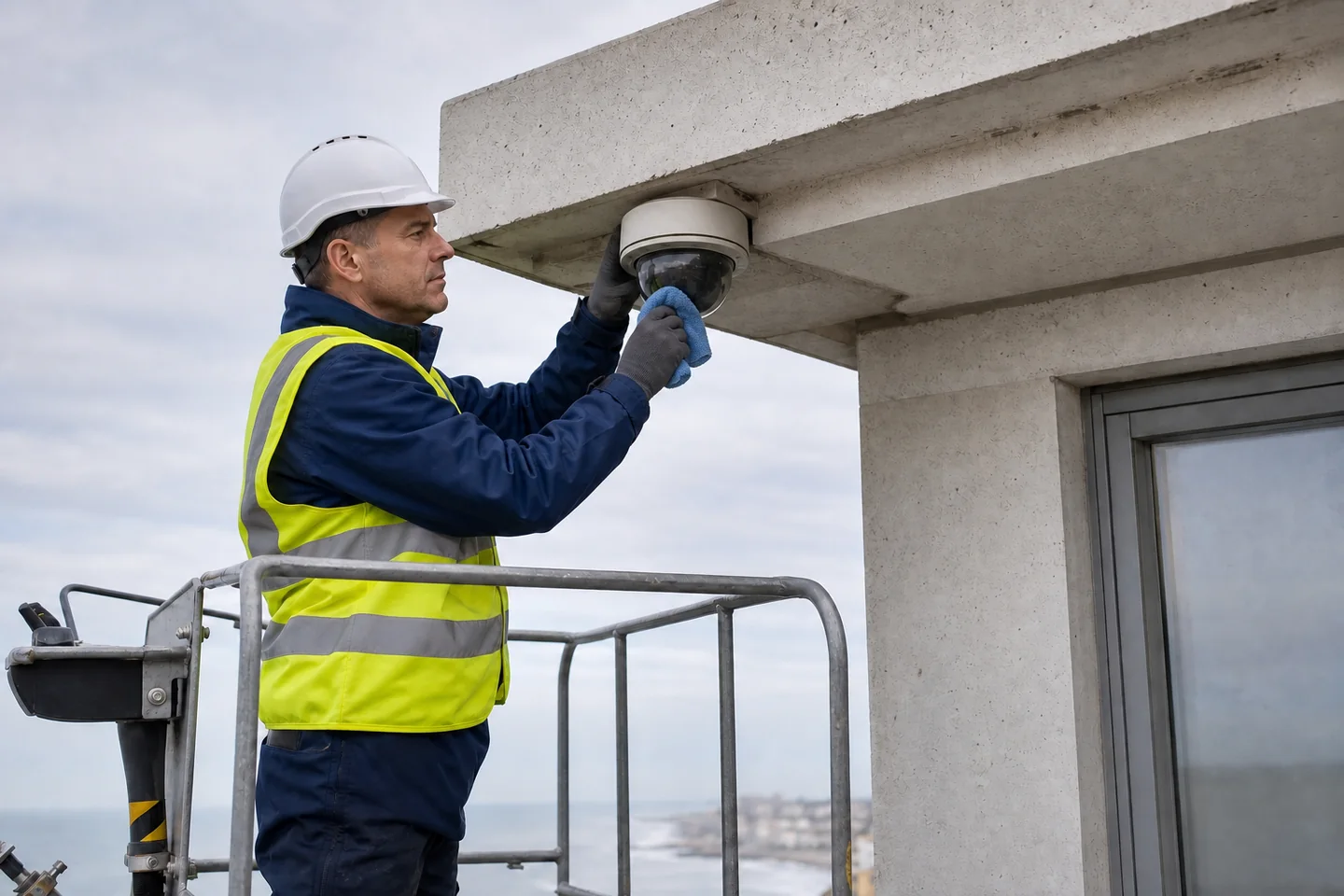
Cleaning advice must be model-specific. Axis notes that water, dust and spider webs can cause severe infrared reflection in its image-quality troubleshooting guide. Hanwha's polycarbonate bubble guidance warns that some common detergents, alcohol and solvents can damage the material. A generic instruction to “clean every dome with alcohol” can create the fault it is meant to prevent.
Prove power, recovery and notification paths
Follow the approved procedure for UPS, failover, backup and recovery tests. Check the recorder or head-end environment, including ventilation and environmental alarms. Coordinate alert tests with operators and service providers, use an approved test or maintenance mode, prevent unintended external dispatch and confirm active coverage is not impaired. Monitoring that cannot report its own failure creates a new blind spot, so include a heartbeat or dead-man check.
Review purpose, privacy and lifecycle
Maintenance also includes deciding whether the system remains appropriate. The UK's Surveillance Camera Code of Practice recommends regular review of necessity, proportionality and effectiveness, including whether cameras should be removed or relocated. The ICO's video-surveillance guidance also connects image quality, timestamps, access, export and purpose-based retention. Those are jurisdiction-specific sources, not universal legal advice, but the operating questions travel well.
Review users and privileged access, firmware and VMS support status, certificates, vendor notices and end-of-life dates. Updates should come from an authorised source, be tested for compatibility and have a tested recovery or rollback plan where the product supports one. NIST's IoT update guidance treats authorised, source-verified updates as an explicit capability; “install everything immediately” is not a safe change process for an integrated surveillance estate.
How often should CCTV maintenance be done?
There is no responsible universal interval. A transport fleet, exposed coastal camera, low-risk indoor store room and critical public-space view do not need the same programme. Manufacturer instructions, the operational requirement, environmental exposure, failure consequence, contractual commitments and local rules should determine the approved schedule.
Published procedures illustrate the range. Some staffed public systems check critical views at every shift. Federation Council records monthly archive, playback, time and position checks. City of Kalamunda's CCTV policy and strategy describes quarterly physical servicing across image quality, cleaning, mounting, cabling, lighting and power support. The intervals make sense in their own contexts; copying one without its risk model does not.
A workable starting pattern is:
- Continuous: machine-observable failures and the monitoring system's own heartbeat.
- Each staffed shift or daily: open exceptions and critical operational views where the consequences justify it.
- Monthly: representative playback, day/night quality, retention, time and export checks; every camera where risk and estate size make that appropriate.
- Quarterly or exposure-based: physical service for outdoor, coastal, dusty, transport, vandal-prone or otherwise exposed cameras.
- After change or incident: construction, landscaping, lighting changes, firmware or VMS updates, network or power work, severe weather, tampering or a failed evidence request.
- Annual starting point: purpose, privacy, access, lifecycle and overall system-effectiveness review, unless local rules or risk require another interval.
Replace those suggestions with your approved schedule. More frequent is not automatically better if the check becomes a ritual that nobody investigates. A maintenance record is useful when it exposes exceptions, assigns an owner and distinguishes “fixed” from “verified and closed.”
A periodic export drill
Run this at the interval your risk and incident process justify, and after relevant changes to the VMS, permissions, export format or playback software. If you add only one check to an existing programme, make it this one:
- Choose a risk-based camera and an approved non-incident or synthetic test clip where possible.
- Find the recording using the normal operator account.
- Export a short clip using the format and metadata your incident process requires.
- Move it through the approved handoff path.
- Play it on an ordinary authorised machine outside the control room.
- Check picture quality, aspect ratio, timestamp, camera identity and playback controls.
- Record the result, failure point, owner and closure evidence.
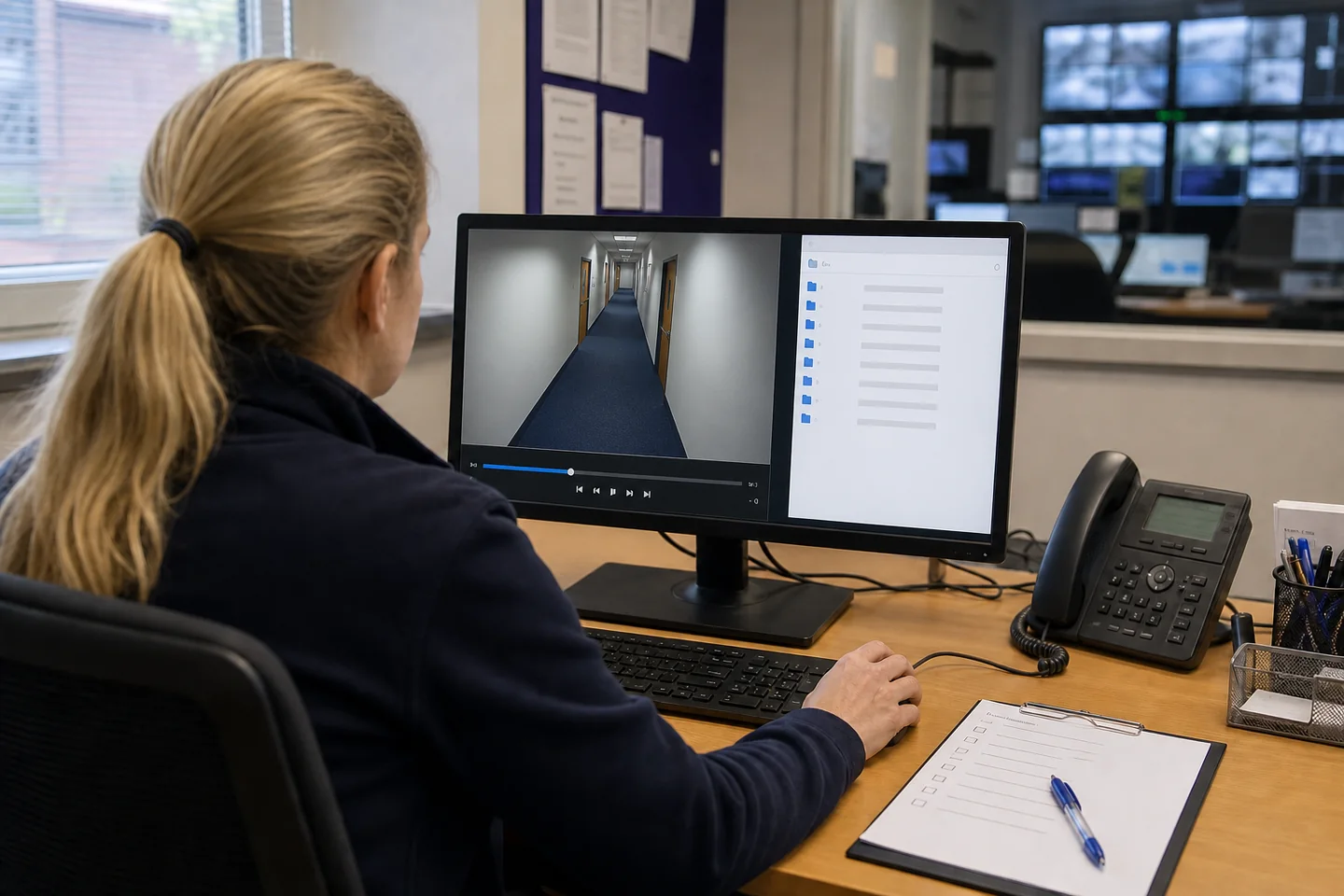
Follow the approved access, transfer, logging, retention and secure-deletion rules throughout the drill. Do not copy real footage merely to populate a checklist. This catches a different class of problem from live monitoring: permissions, search, archive indexing, codecs, proprietary players, metadata, transfer controls and operator familiarity. The current UK police requirements for CCTV systems are a useful cross-check: they cover export at native quality, playable files, time and date, aspect ratio, still images and use by authorised third parties.
If the recorder is configured for 31 days of retention, that is a setting, not a fact. Compare the oldest retrievable recording with the approved rule. Then prove that one useful clip can leave the system and still work where it is needed.
Where continuous camera-health monitoring fits
Manual inspections produce a point-in-time result. Between them, cameras can be knocked, covered, defocused, frozen or disconnected; recording and storage can fail; expected views can drift. Continuous monitoring narrows that gap by screening the signals available from cameras, streams and VMS platforms, then directing people to exceptions.
CHEQIT is designed for that signal loop: on-prem camera-health monitoring, image and stream checks, recording and VMS signals where the connector exposes them, evidence-backed alerts and an operations queue. It does not clean a dome, reseal a housing, judge whether a camera is still proportionate, or guarantee that every source exposes every health signal. Those boundaries are why the three loops belong together.
Download and adapt the checklist
The workbook turns this guide into a reusable operating record. It has a camera register, the 44-check library, a repeatable inspection log, a separate faults-and-verification log, setup guidance and source notes. Result, priority and status fields use dropdowns, and “fixed” remains distinct from “verified and closed.” There are no macros.
Free reusable workbook
CCTV maintenance & inspection checklist
Use it as a starting template. Remove checks that do not apply, add site-specific pass conditions, and replace every suggested cadence with the one your organisation has approved.
This material is general operational guidance, not legal, regulatory or safety advice. Links and source descriptions were checked on 13 August 2026. Product and manufacturer capabilities change; verify them against the versions in your estate.